


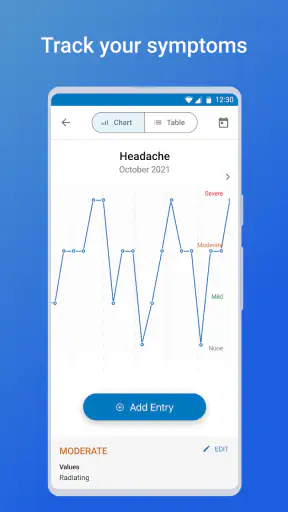
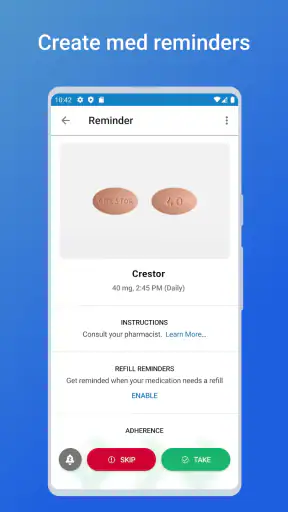
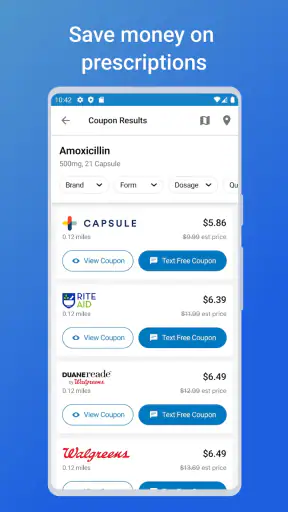
I installed WebMD: Symptom Checker expecting a quick way to make sense of everyday health questions, and that is still the best way to understand it. It is a free medical app from WebMD, LLC, built around symptom guidance, medication reminders, and finding doctors. I would not treat it as a diagnosis tool, but I do find it useful as a first organizing step when a symptom is worrying, vague, or difficult to describe.
My overall view is positive but measured: WebMD: Symptom Checker is most helpful when you use it to prepare for a sensible next step, not when you use it to replace a clinician. The app can turn a loose concern into a clearer list of possibilities and questions. At the same time, health information can feel alarming when several conditions appear plausible, and no symptom checker can assess the details a professional sees in person.
What the app is really good at
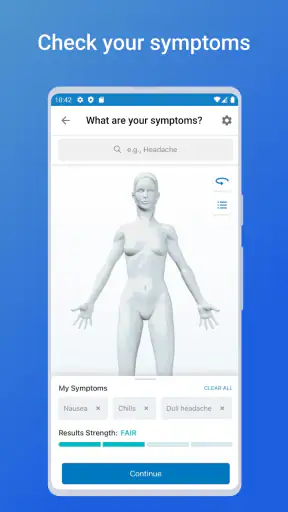
The main strength is its ability to give structure to an uncomfortable moment. When I have a headache, stomach discomfort, a rash, or another common complaint, the hardest part is often knowing what information matters. A symptom checker encourages me to think about the location, timing, severity, and related signs instead of searching the whole internet with one anxious sentence.
That distinction matters. A general web search tends to mix reliable medical guidance with personal stories, outdated pages, and dramatic possibilities. WebMD keeps the experience centered on health information and practical follow-up. I still read the result critically, but I am less likely to wander into unrelated pages or mistake one unusual story for a likely explanation.
The useful result is not a definitive label. It is a better conversation starter. After using the checker, I can write down when the problem began, what makes it better or worse, and which warning signs would justify quicker attention. That preparation can make a phone call or appointment more efficient, especially when stress makes it difficult to remember details.
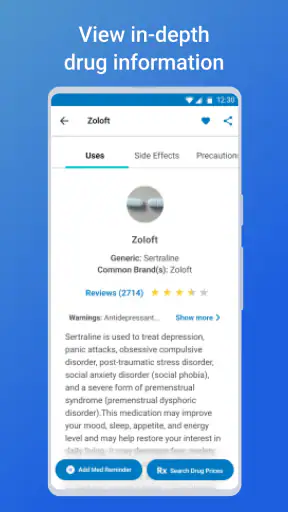
The medication reminder side is valuable for a different reason. It addresses the ordinary, repetitive part of managing treatment: remembering when something is due. I see this as especially practical for people taking several medicines, caring for a family member, or following a temporary schedule after an illness. A reminder is not medical advice, but it can reduce the chance that a busy day causes an avoidable missed dose.
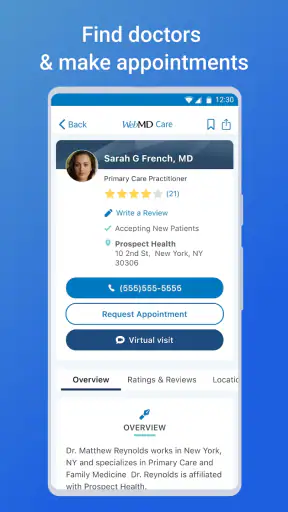
I also like the doctor-finder function as a bridge between information and action. Reading about symptoms is easy; deciding where to go next is harder. Having a way to move from a concern toward finding a doctor makes the app more useful than a reference library that leaves the user with no practical direction.
A realistic everyday workflow
Imagine noticing a sore throat late in the evening before a workday. I would open the symptom tool, describe the issue carefully, and pay attention to the accompanying questions rather than rushing through them. I would note how long it had been present and whether other symptoms changed the level of concern. Then I would use the result to decide whether monitoring, contacting a medical office, or seeking more urgent help made sense.
The important habit is to keep the app in its proper role. I would not read a reassuring result as permission to ignore a rapidly worsening condition. I would also not assume that a frightening possibility is the most likely one. The app is more useful when it helps me ask, “What should I watch, and what should I tell a professional?” rather than, “What disease do I have?”
Three ways to get more value from it
First, I would use the symptom checker before searching elsewhere, then compare the guidance with information from a trusted clinician or established health service. This creates a focused research path. Starting with random searches often produces too much information and makes it harder to separate common explanations from urgent warning signs.
Second, I would treat the medication reminder as part of a routine rather than a rescue feature. Setting it up when beginning a treatment, checking the schedule against the instructions from a pharmacist or doctor, and keeping the phone’s notification settings in mind are all important. If a reminder is missed, the app should not be used to guess whether to double a dose; that question belongs to a qualified professional or the medication instructions.
Third, I would prepare notes before using the doctor finder. Knowing whether I need general care, a specialist, or help with a specific ongoing issue can make the search more productive. The finder is not a substitute for checking availability, suitability, or emergency access, so I would still confirm those details directly before arranging care.
These workflows reveal the app’s strongest quality: it connects three stages that people often handle separately. I can think through symptoms, remember a treatment routine, and look for professional help in the same general health toolkit. That does not make the experience comprehensive for every situation, but it makes it more practical than a single-purpose symptom article.
Where the experience needs caution
The most meaningful weakness is inherent to symptom checkers: symptoms overlap. A headache can have many explanations, and a list of possible causes can either reassure or unsettle depending on the user’s state of mind. I found that the app works best for calm information gathering. Someone already feeling panicked may need a direct conversation with a healthcare professional instead of more possibilities to consider.
Short answers also create a risk of false precision. Two people can select the same symptom while having very different medical histories, ages, medications, or circumstances. The app cannot reproduce a physical examination, vital signs, laboratory work, or the judgment that comes from seeing the whole person. I would therefore treat its guidance as general orientation, not a personalized conclusion.
There is also a practical limit to convenience. A doctor finder can point me toward the next step, but it does not remove the work of checking whether a clinician is appropriate for my concern or whether the situation is urgent. For severe, sudden, or rapidly worsening symptoms, I would skip the app and contact emergency services or urgent medical care according to local guidance.
The medication reminders have a similar boundary. They can help me remember a schedule, but they do not replace a medication list maintained with a doctor or pharmacist. They cannot safely answer every question about interactions, side effects, changes in timing, or what to do after a missed dose. I would use the reminder for organization and keep clinical decisions outside it.
Another point is that the experience depends on how carefully I describe the problem. If I choose a broad symptom without adding useful context, the result may be less helpful. That is not necessarily a flaw in the app, but it does mean the first answer should not be treated as final. Rechecking after symptoms change may provide a different direction, yet changing symptoms are also a reason to seek professional advice rather than repeatedly testing possibilities.
How it compares with familiar alternatives
Compared with a normal search engine, WebMD offers a more focused path and less temptation to jump between unrelated pages. A search engine is better when I already know the exact medical term I need to research or want to compare information from several sources. For an uncertain everyday symptom, I prefer the guided approach because it makes me slow down and describe the situation.
Compared with a dedicated medication alarm, this app is broader but may not be the best choice for someone who wants nothing beyond reminders. A simple alarm can be faster to set and easier for a very basic routine. WebMD becomes more appealing when reminders are only one part of the need and I also want symptom guidance or help locating a doctor.
Compared with contacting a clinician immediately, the app is more convenient for low-stakes preparation but clearly less capable of making a personal assessment. If I have an established care team, that relationship is more valuable for ongoing symptoms, medication changes, and conditions requiring monitoring. I would use the app to prepare for that contact, not to postpone it.
Who should use it, and who should skip it
I think it is a good fit for adults who want a familiar starting point for common health concerns, people who need help organizing medication reminders, and anyone who often arrives at a doctor’s appointment unsure what details to mention. It can also help a family member gather questions before calling a healthcare office, provided the information is not treated as a diagnosis.
It is less suitable for someone looking for emergency triage, highly individualized treatment decisions, or a complete medical record system. I would also be cautious about recommending it as the only resource for a person who tends to become more anxious after reading possible conditions. In that situation, direct support from a clinician may be more useful than self-guided symptom research.
Parents and caregivers should be especially careful about applying general symptom information to another person. A child, older adult, or person with a complex medical history may need advice that depends on details the app cannot fully assess. The same applies to pregnancy, serious chronic illness, and symptoms that appear unusual or progress quickly: the threshold for contacting a professional should be lower.
The app is free and rated for Everyone, which makes it easy to try without a purchase decision. It has been available since May 6, 2011, and its current version is 11.34.1.15443886, with a minimum operating-system requirement of 9. Those details suggest broad accessibility for many supported phones, though the actual experience can still depend on the device and notification settings.
Its public reach is substantial, with over ten million installs, around sixty-five thousand ratings, and an average of 4.1. I read that as evidence that the app has become a familiar health companion for many people, not as proof that every result will fit every user. The number of ratings also cannot tell me whether it is right for my particular medical situation.
My final recommendation
After using it as a practical health organizer, I would recommend WebMD to a friend with one clear condition: use it to prepare, remember, and find direction, but do not ask it to make the final medical decision. Its combination of symptom guidance, reminders, and doctor search gives it more everyday value than a symptom checker alone.
The app earns its place when I am dealing with a common concern and need to turn uncertainty into sensible next steps. Its biggest weakness is also the reason for caution: symptom information can never capture the full context of a real examination. If I keep that boundary in mind, the tool is useful, approachable, and worth trying for routine health organization.
My verdict: WebMD is a solid first-stop companion for non-emergency questions and medication routines, especially for people who want one app rather than several disconnected tools. I would skip it for urgent symptoms, complex treatment decisions, or situations where online possibilities are likely to increase anxiety. Used with that judgment, it helps me become better prepared without pretending to replace a healthcare professional.


